Self-Checkout Systems for Saudi Supermarkets and Retailers
Shorter queues, better use of staff and happier shoppers. What to plan for before installing self-checkout in a Saudi store.


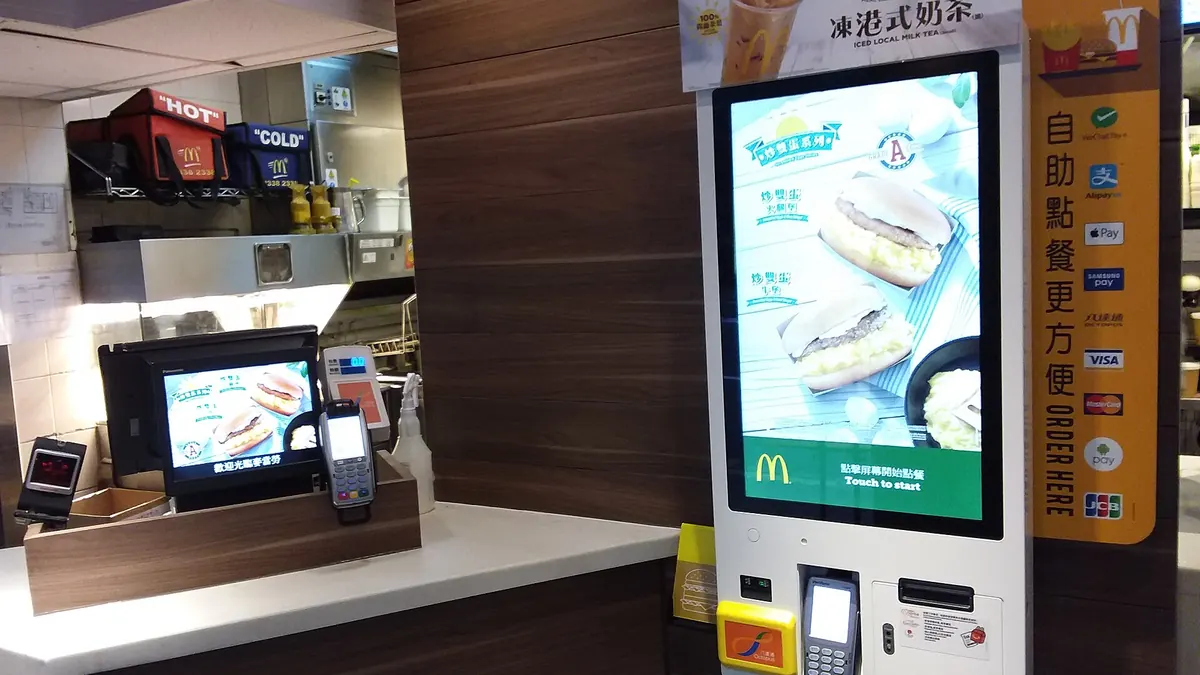
Self-checkout is becoming a familiar sight in supermarkets and retail stores in the Gulf. For Saudi retailers, it offers shorter queues at peak times, better use of staff, and a modern experience for a young, digitally confident population that already pays by mada and phone.
But self-checkout only works when it's planned well: the right hardware, smooth payment, sensible loss prevention, and staff who help customers instead of policing them. This guide covers the essentials.
Key takeaways
- Self-checkout complements staffed tills; it rarely replaces them completely.
- Fast, reliable scanning and mada/contactless payment are essential.
- Plan loss prevention: weight checks, cameras, attendant alerts and smart exit gates.
- Each terminal must issue a compliant e-invoice receipt.
- Start with a pilot at your busiest store and measure throughput.
How a self-checkout system works
- The customer scans items at a scanner built into the terminal.
- Loose produce is weighed and selected on screen.
- A bagging scale or camera can check that scanned items match what is bagged.
- The customer pays by mada, credit card, contactless or mobile wallet.
- The terminal prints or sends the receipt.
- An attendant supervises several terminals and handles age checks, interventions and help.
Benefits for Saudi retailers
- Shorter queues at weekend and evening peaks.
- Staff productivity, one attendant supervises several terminals, freeing others for the shop floor.
- Space efficiency, self-checkout terminals take less room than staffed lanes.
- Customer choice, shoppers with a few items get through faster.
- Data, accurate transaction data and peak-time analytics.
Hardware components
- Touchscreen terminal with bilingual (Arabic/English) interface
- High-performance 2D barcode scanner (reads product barcodes and QR codes on phones)
- Payment terminal certified for mada and contactless
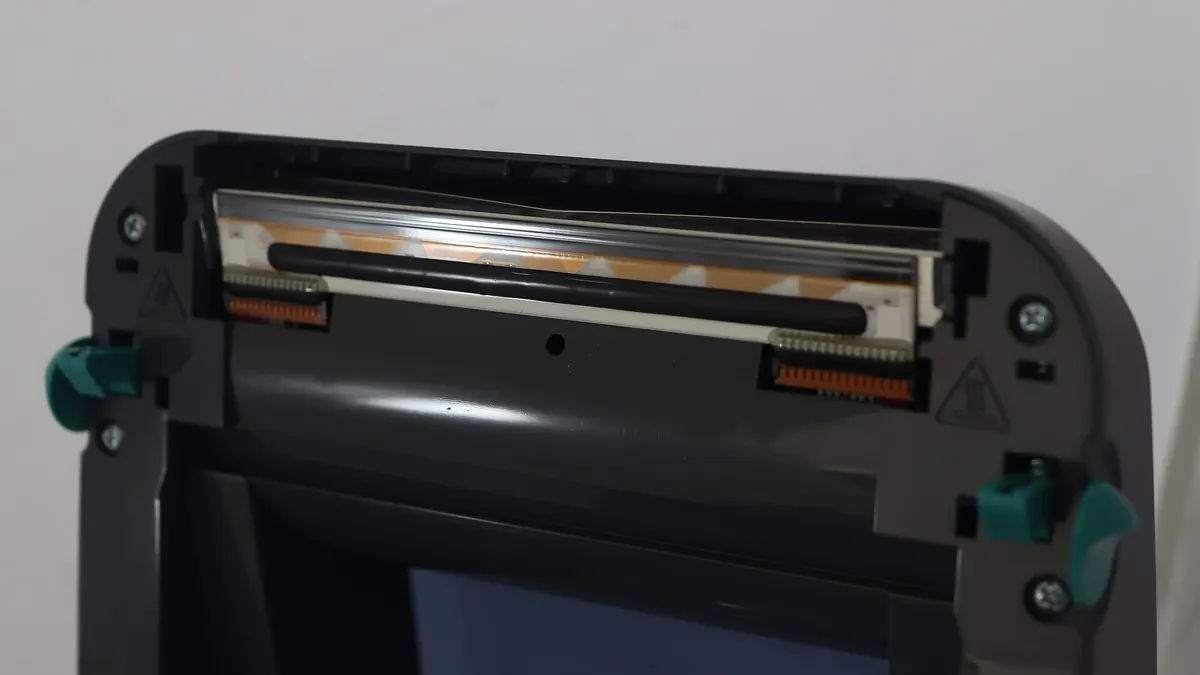
- Receipt printer for e-invoice receipts
- Scale and bagging area, optionally with cameras
- Attendant station or handheld for monitoring
Loss prevention: getting the balance right
Shrinkage is the concern retailers raise first. Good systems combine several layers:
- Weight verification and camera-based item recognition.
- Random audits and attendant alerts.
- Smart exit gates that only open with a valid receipt or detect unpaid RFID-tagged items.
The aim is to protect margin without making honest customers feel accused. See our self-checkout and smart exit gate solution.
Payment and invoicing
Payment terminals must support mada and contactless cards. Each self-checkout terminal also issues a tax invoice, so it must run through your ZATCA-compliant POS or e-invoicing system and print a scannable QR code, see our ZATCA QR code printer guide.
Is self-checkout right for your store?
Self-checkout works best when several of these are true:
- Many customers buy small baskets (convenience, express and city-centre stores).
- Queues build up at predictable peaks.
- Most products carry readable barcodes.
- Customers already pay mostly by card, mada or phone.
- You have space near the exit for a group of terminals and an attendant.
It's a harder fit for stores selling mostly large or heavy items, many weighed products without barcodes, or age-restricted goods that need frequent checks.
Designing a good self-checkout experience
- Language: Arabic and English with a clear switch on the first screen.
- Simple first screen: "Start scanning" should be obvious.
- Fast produce lookup: photos and search for loose fruit and vegetables.
- Friendly interventions: clear messages instead of alarms when something needs checking.
- Visible attendant: customers adopt self-checkout faster when help is close by.
- Accessibility: at least one terminal reachable from a wheelchair.
How to measure success
| Metric | Why it matters |
|---|---|
| Share of transactions through self-checkout | Shows customer adoption |
| Average transaction time | Shows whether queues are really shorter |
| Interventions per transaction | High numbers mean the process or software needs tuning |
| Shrink compared with staffed tills | Shows whether loss prevention is working |
| Customer feedback | Shows whether the experience is welcome |
How to roll out self-checkout
- Pick a high-traffic store with frequent small-basket shoppers.
- Integrate terminals with your POS, promotions and loyalty programme.
- Place an attendant near the terminals during launch.
- Measure throughput, intervention rates and shrink for 6–8 weeks.
- Adjust layout and rules, then expand.
Frequently asked questions
Is self-checkout available in Saudi Arabia?
Yes. Self-checkout and self-service technologies are increasingly used in Saudi and Gulf retail, and adoption is growing as retailers modernise.
Do self-checkout terminals accept mada?
They should. Choose payment terminals certified for mada as well as international cards and contactless payments.
How do you prevent theft at self-checkout?
By combining weight checks, cameras, attendant monitoring, random audits and smart exit gates that check receipts or detect unpaid RFID-tagged items.
How many self-checkout terminals does one attendant manage?
One attendant typically supervises a group of terminals, depending on basket size and store traffic.
Can you install self-checkout in Riyadh?
Yes. I help retailers in Riyadh plan, integrate and deploy self-checkout terminals and smart exit gates.